Bring your Mia Electric back to life
EVSpark is a diagnostic tool that helps you understand and repair your Mia electric vehicle.
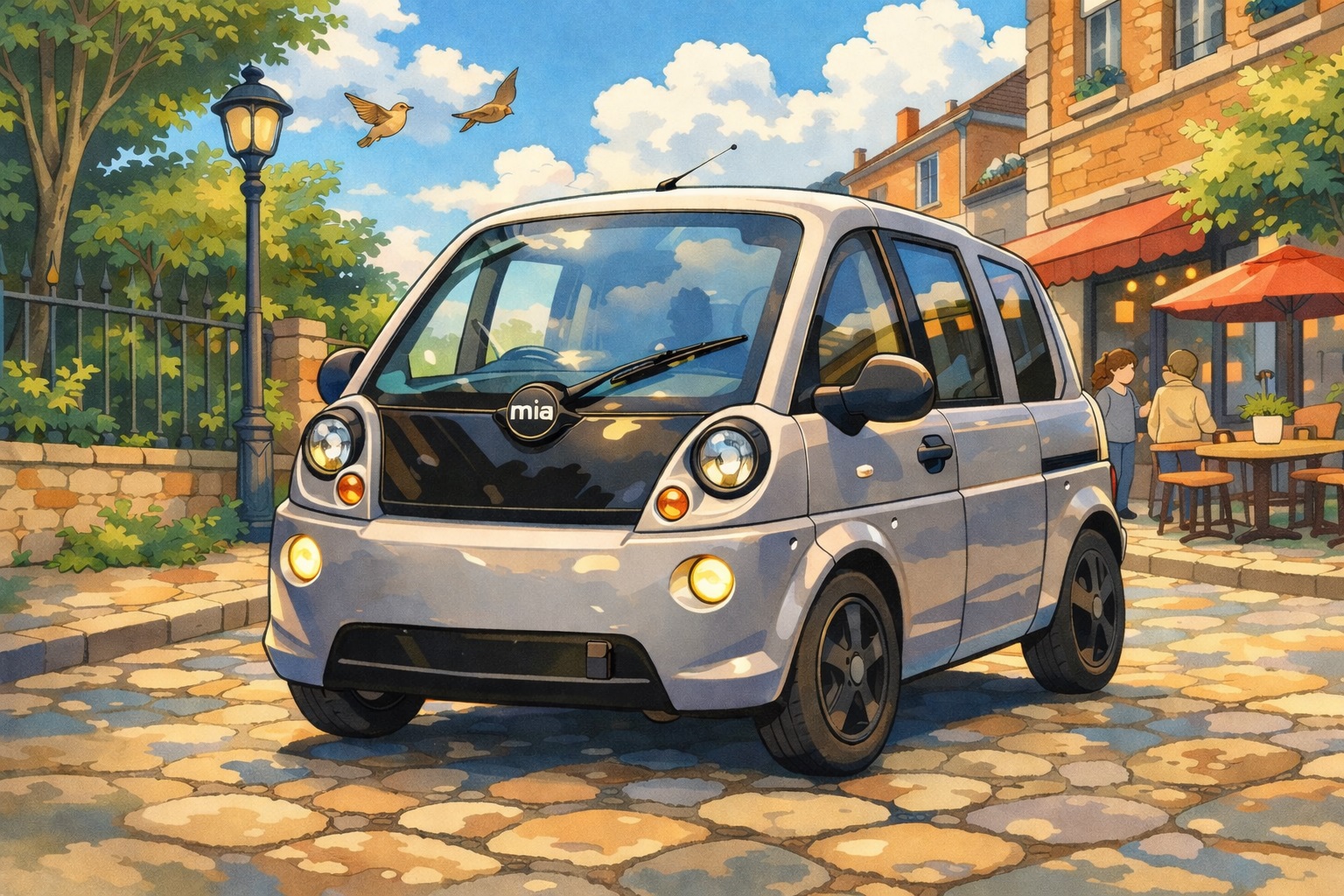
EVSpark is a diagnostic tool that helps you understand and repair your Mia electric vehicle.
Everything you need to diagnose and understand your Mia Electric
Visualize live CAN data: battery status, motor temperature, error codes and much more.
Complete database of over 100 fault codes (DTC) for all systems: BMS, motor, charger, dashboard.
Direct connection to the 500 kbit/s CAN bus via Waveshare USB-CAN interfaces for reliable communication with all ECUs.
Detailed battery pack monitoring: voltage, current, temperature, state of charge (SOC), and state of health (SOH).
Capture and save diagnostic sessions for later analysis and sharing with the community.
Free software with complete documentation. Contribute and share your improvements with the community.
Explore the diagnostic interface in detail
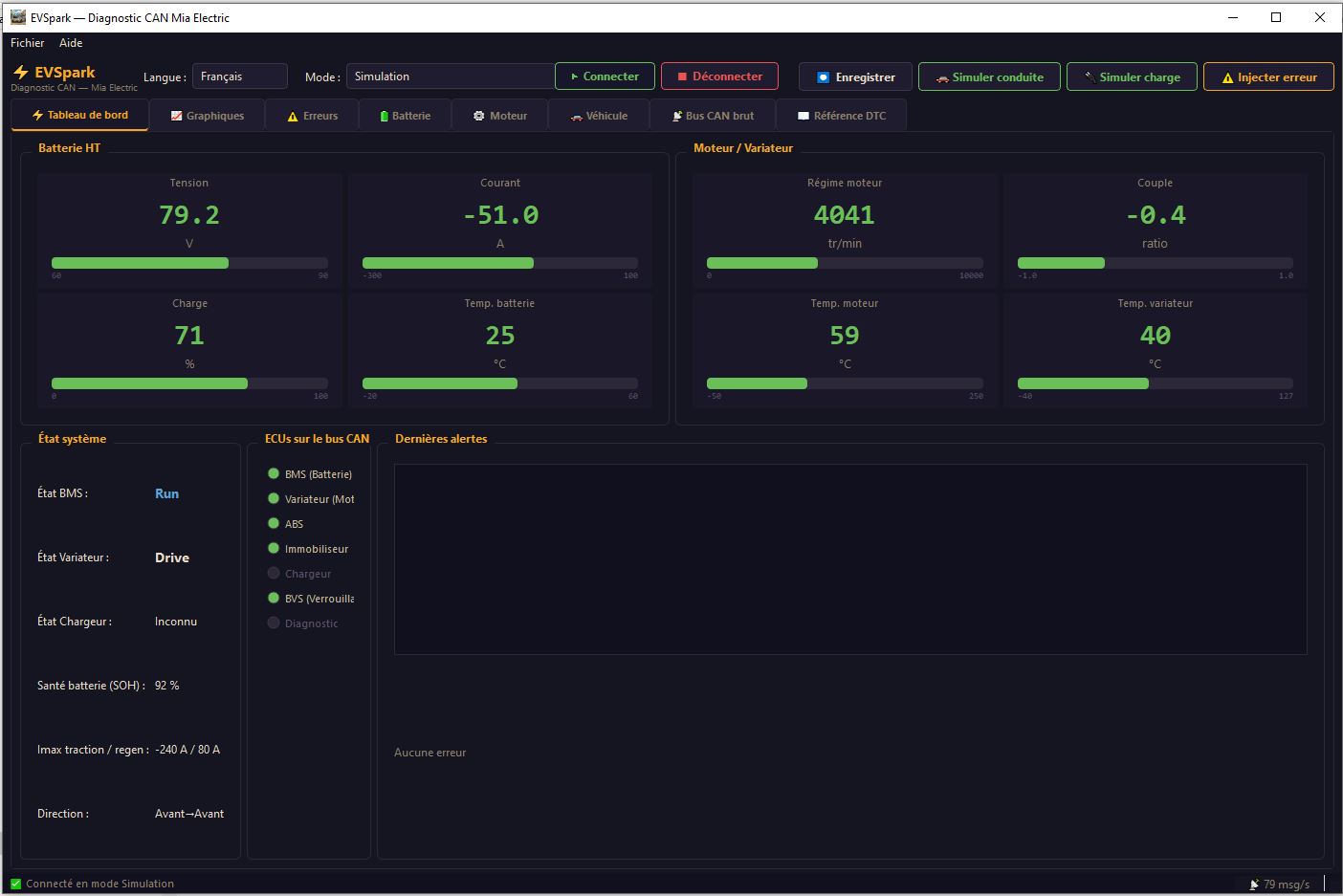
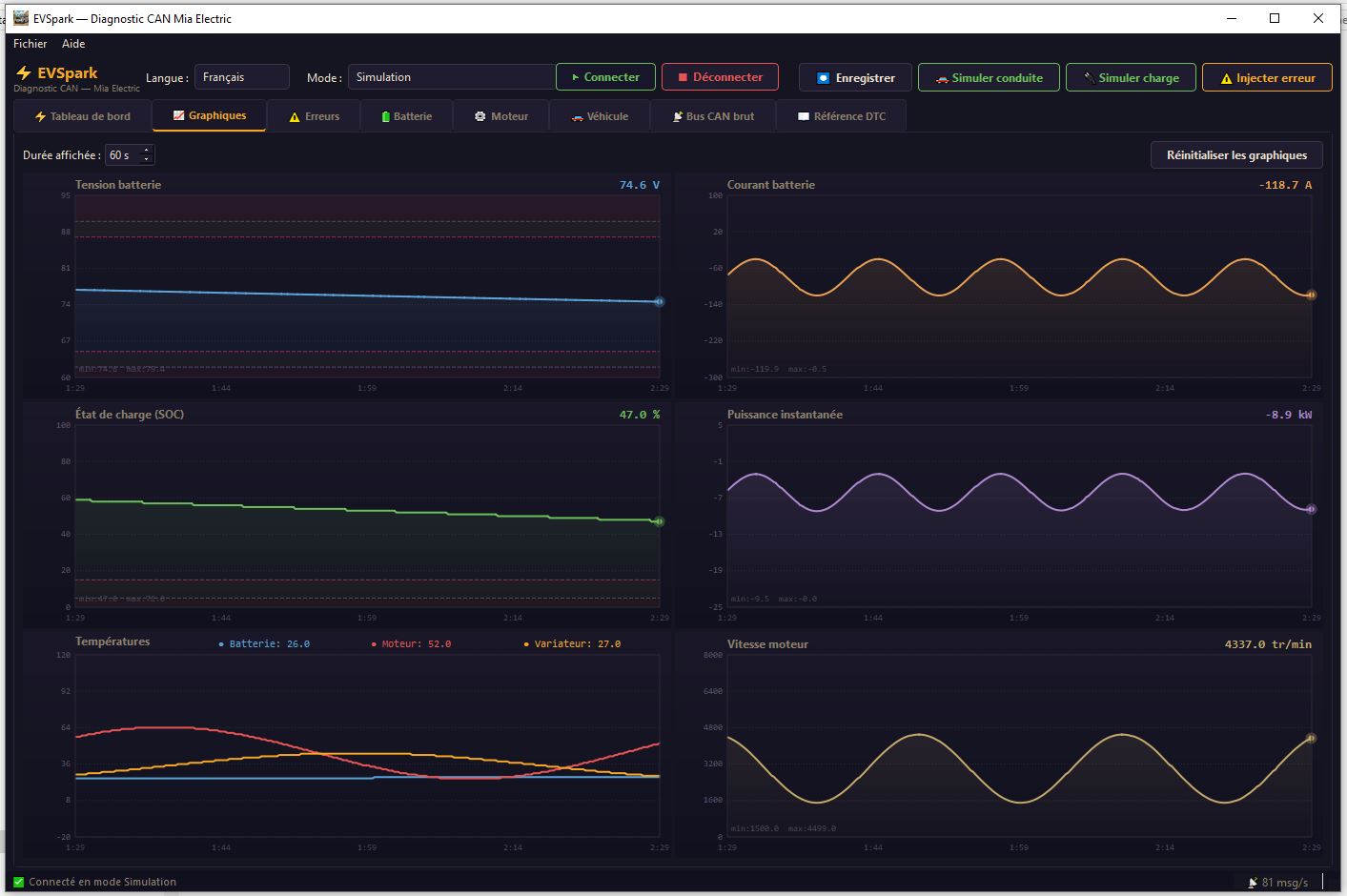
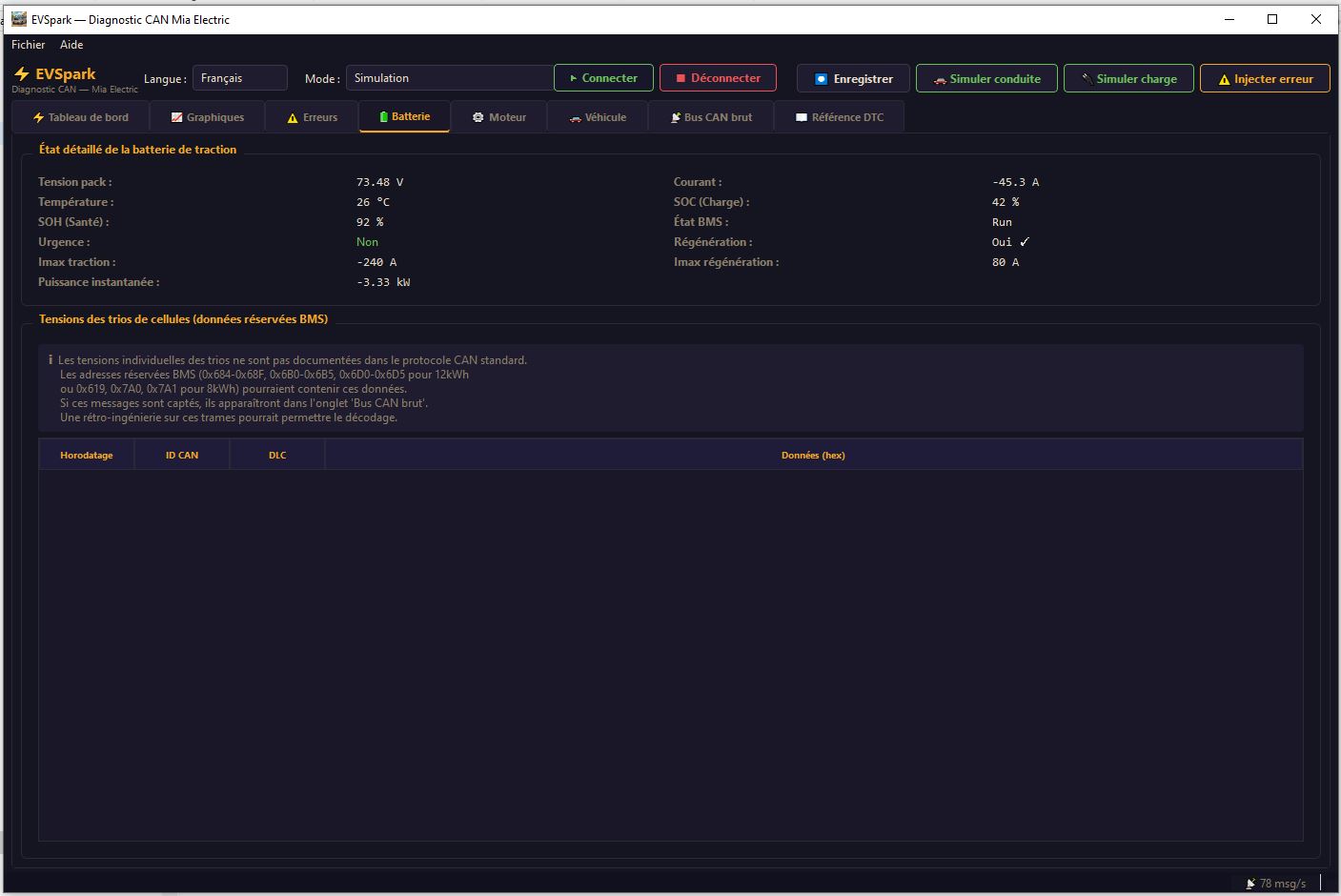
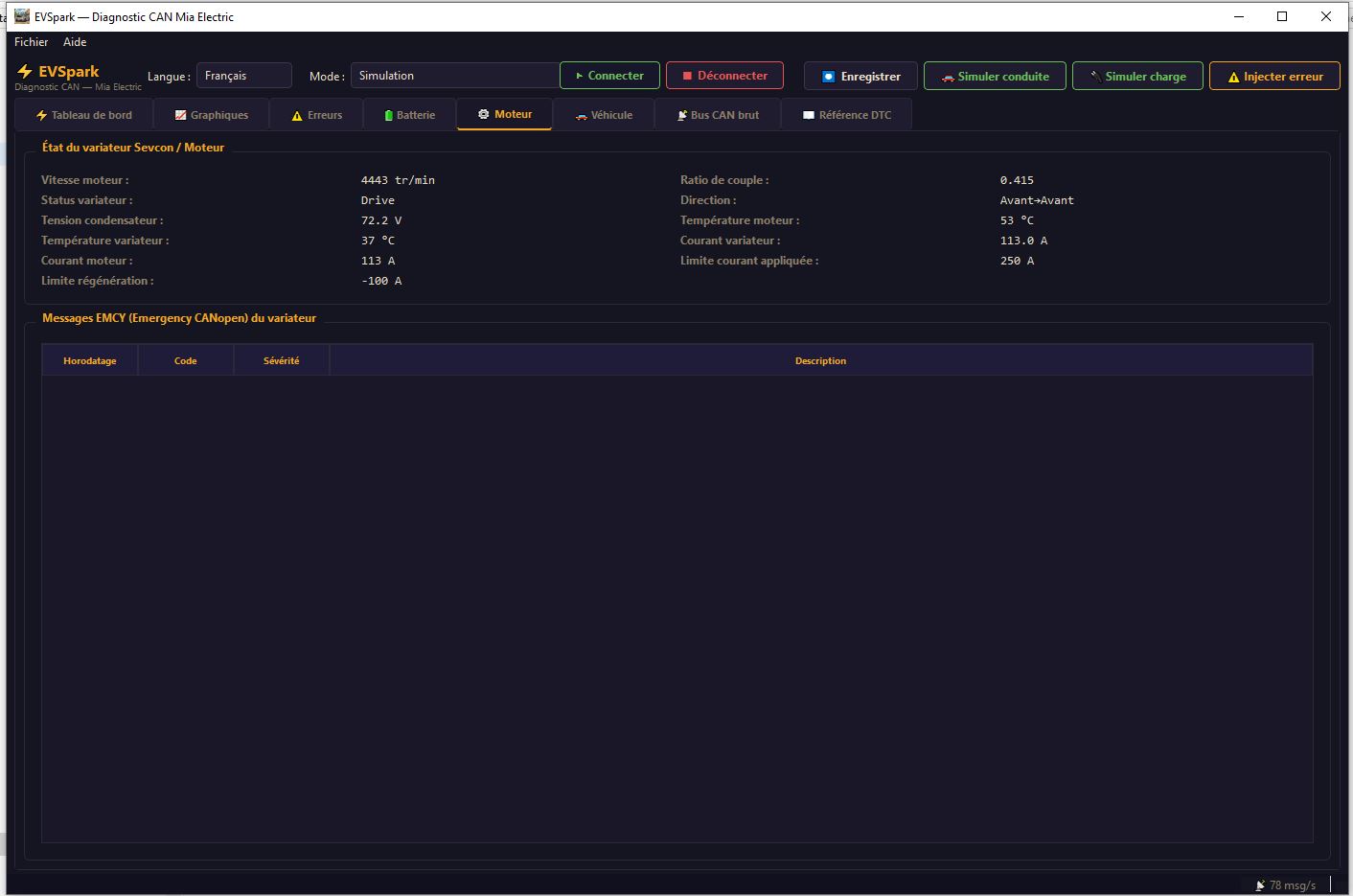
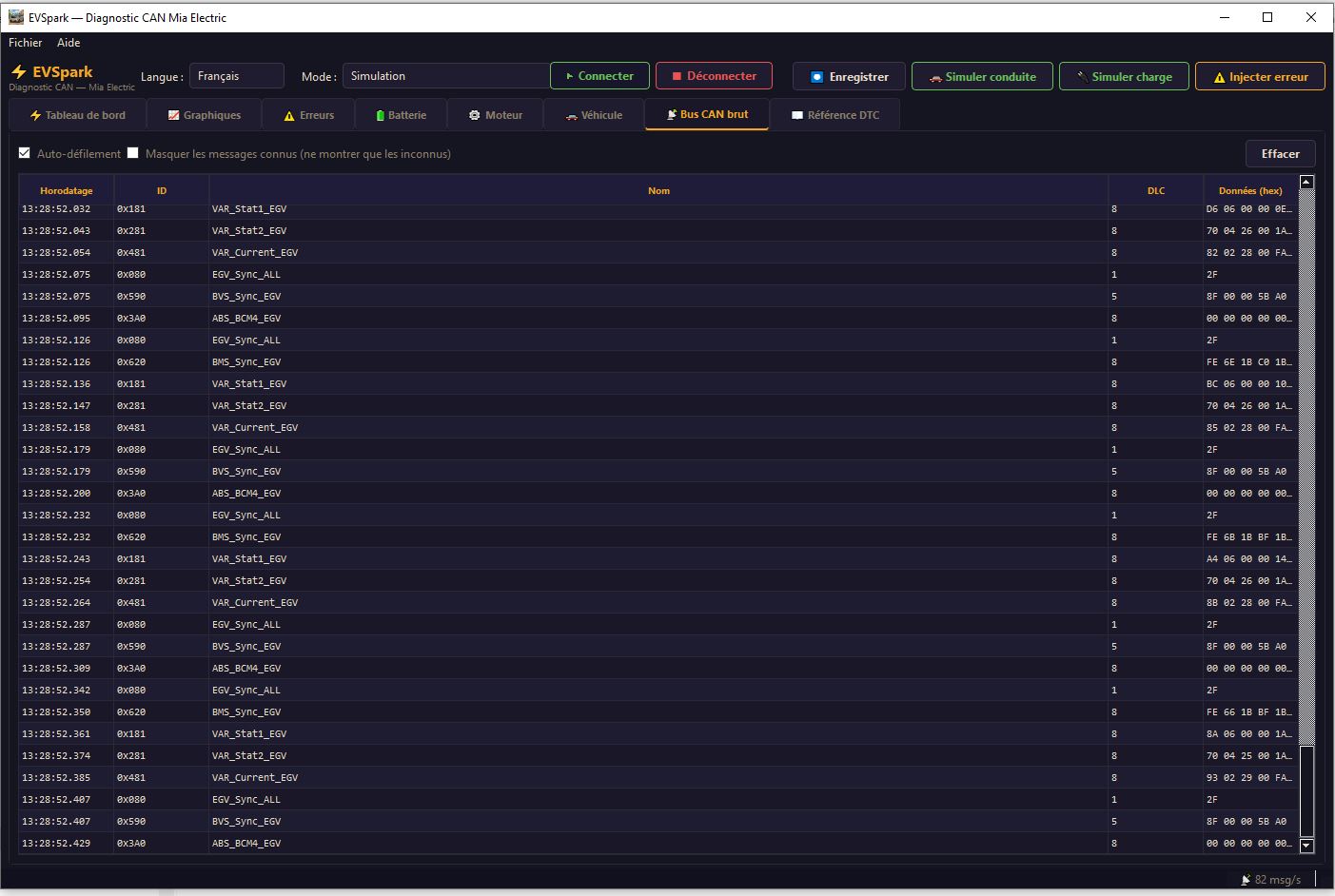
See EVSpark in action on a Mia Electric
Get the latest version for Windows
Complete diagnostic application for Mia Electric. Compatible with Windows 10 and 11.
EVSpark is not digitally signed (the cost of a certificate would make the software paid). Some antivirus programs may display a Win32:Malware-gen alert — this is a false positive, common for applications compiled with PyInstaller.
Complete guide to install and use EVSpark
Download EVSpark_Portable.exe - no installation required!
EVSpark supports two Waveshare interfaces:
USB-CAN-A (economical, STM32-based)
USB-CAN-B (dual-channel, high-performance)
Installation:
Recommended connection cable:
OBD2 16-pin to bare wire cable
This cable greatly facilitates the connection between your Mia Electric's OBD2 port and the USB-CAN interface.
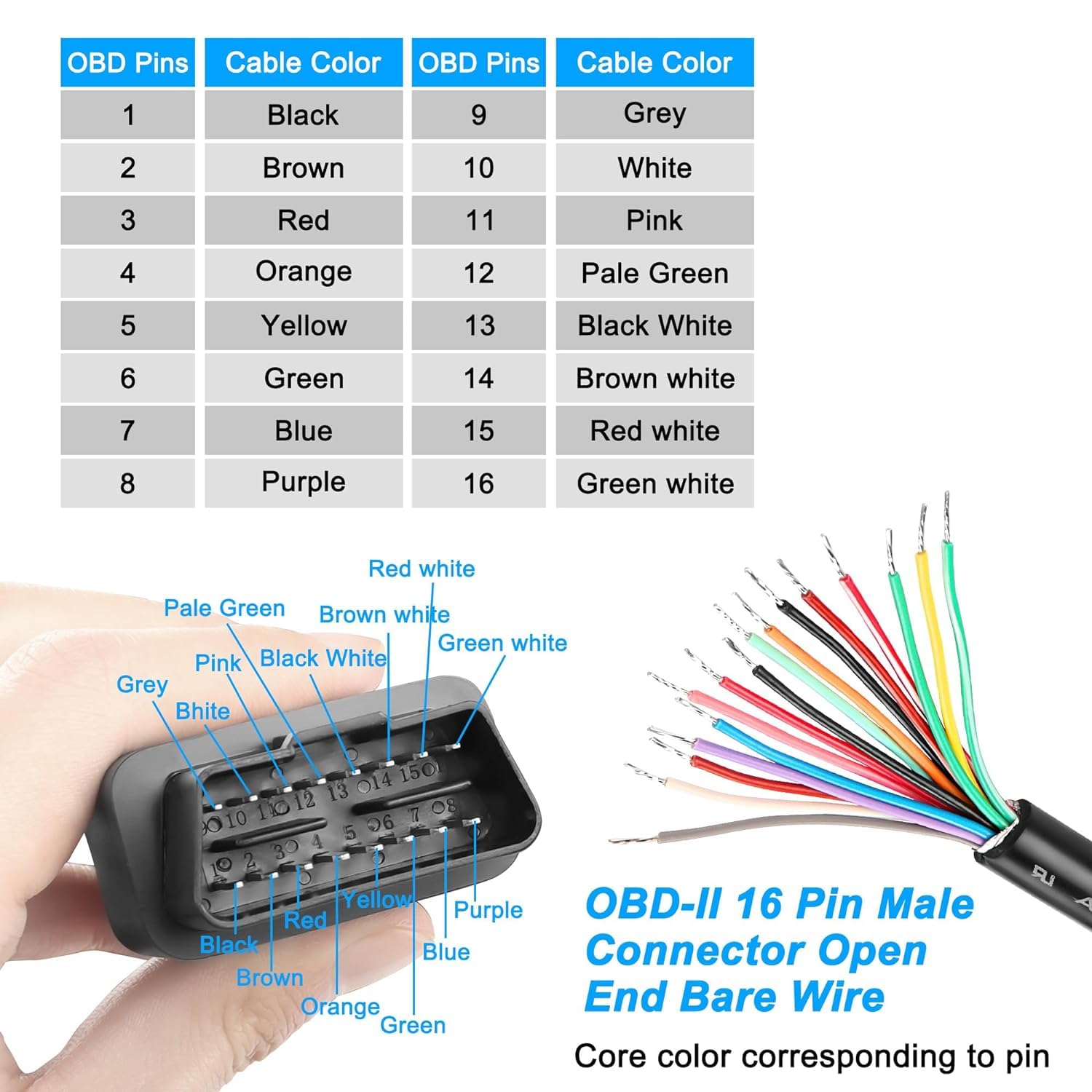
CAN Bus connections (for Mia Electric):
First use:
Advanced features:
An iconic electric vehicle that deserves a second life
The Mia Electric is an urban electric vehicle designed and manufactured in France between 2010 and 2012. With its unique and friendly design, three-seat inline configuration and 100% electric powertrain, the Mia was ahead of its time.
Unfortunately, the manufacturer Mia Electric ceased operations in 2012, leaving owners without technical support or spare parts. EVSpark was created to bring these vehicles back to life and allow enthusiasts to continue driving electric.
EVSpark was born from the need to diagnose and repair a Mia Electric whose BMS (Battery Management System) had failed. Without access to official tools, we developed our own solution.
This project combines CAN protocol analysis and software development to create a complete diagnostic tool accessible to all Mia Electric owners.
Join the community! Connect with other Mia Electric owners on the Electric Vehicles forum. Together, we can preserve these pioneering electric vehicles and share our knowledge so that every Mia can continue to drive.